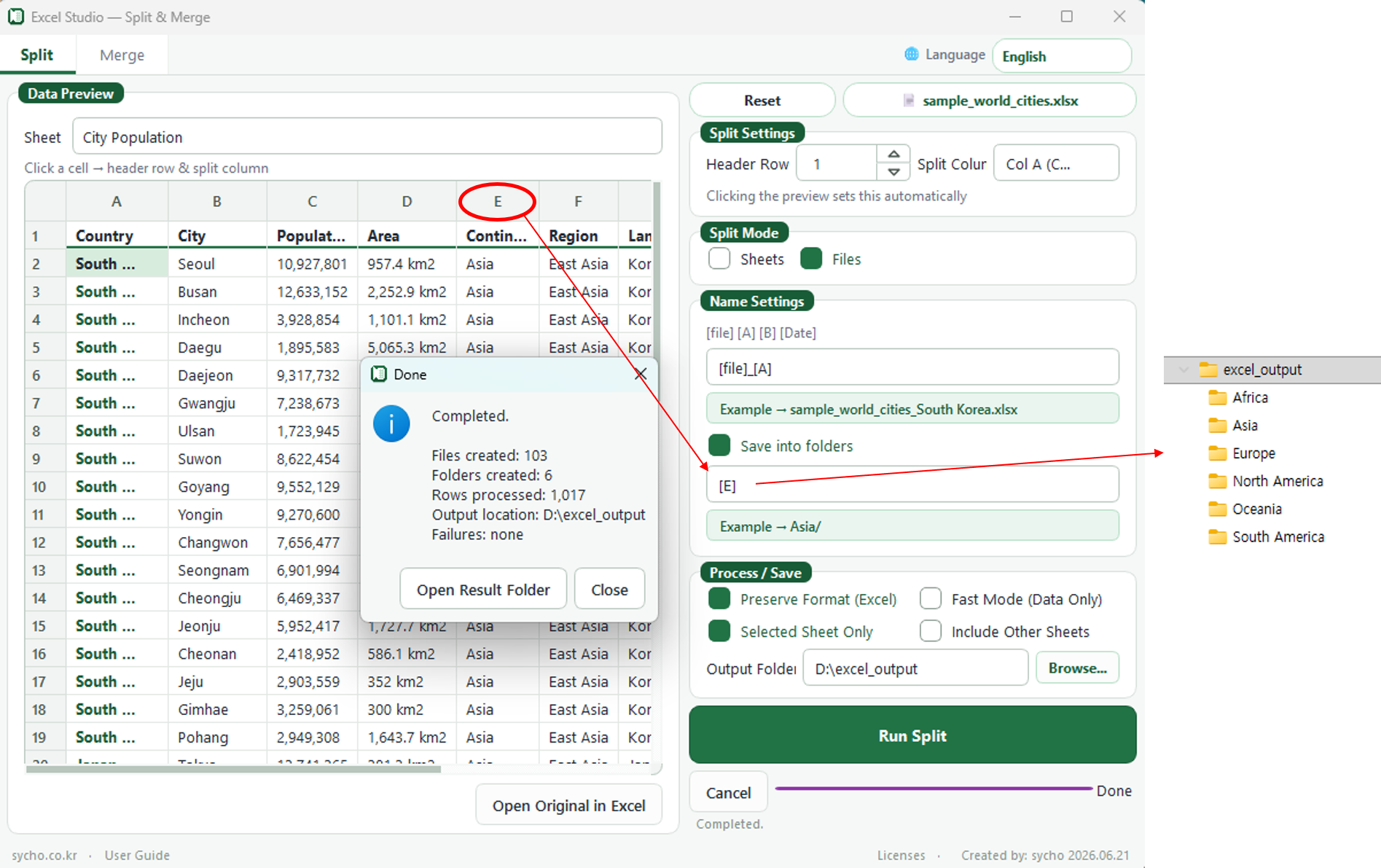
- [A1] 셀 선택(제목줄, 나눌 열) - A2~데이터 마지막열 까지 해당구분자로 파일이 분할됨.
- 폴더별로 나눠 저장에 "체크" 후 [E] 대륙 열 선택시, 국가별 자료로 나뉜 파일이 대륙별 폴더로 저장됨.
- 분할 실행
예제파일 첨부했으니 연습해보세요.
[English]Select the [A1] cell (header row, split column). The file will be split based on this category from A2 down to the end of the data.Check the "Save into folders" option and select the [E] Continent column. The files, which are separated by country data, will be saved into their respective continent folders.Run Split.
An example file has been attached, so please practice with it.
[Chinese]选择 [A1] 单元格(标题行,拆分列)。从 A2 到数据末尾,文件将按照该分类标准进行拆分。勾选“保存到各个文件夹”后,选择 [E] 洲(大洲)列,按国家分类的文件将被分别保存在对应大洲的文件夹中。执行拆分。
示例文件已作为附件提供,请您尝试练习。
[Japanese][A1] セルを選択します(タイトル行、分割する列)。A2からデータの最後まで、該当する区切り基準でファイルが分割されます。「フォルダ別に分けて保存」にチェックを入れ、[E] 大陸の列を選択すると、国別のデータに分けられたファイルが大陸別のフォルダに保存されます。分割を実行します。
サンプルファイルを添付しておりますので、ぜひ練習にお使いください。